
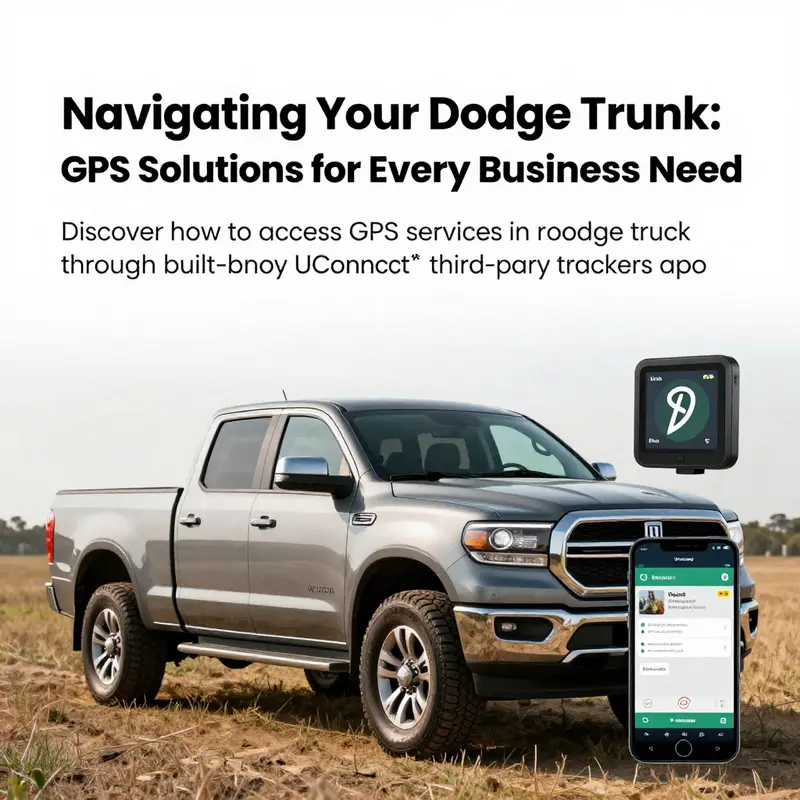
In an era where efficient navigation is critical for businesses, ensuring that your Dodge truck is equipped with GPS capabilities is vital. Whether you’re managing a fleet, coordinating deliveries, or ensuring safety for construction sites, reliable GPS solutions can enhance operational efficiency and facilitate effective logistics. This article explores three primary methods for obtaining GPS services in your Dodge truck. We will first dive into how to utilize the built-in Uconnect® services that may already be integrated into your vehicle. Following that, we will examine the versatility and effectiveness of third-party GPS trackers that can be added to any truck. Finally, we will discuss the practicality of using your smartphone as a GPS navigator, highlighting its contributions to real-time location tracking. Each section aims to equip manufacturing, retail, construction, and small business owners with actionable knowledge to incorporate GPS services that meet their specific requirements.
Unlocking Real-Time GPS Navigation in Your Dodge Truck Through the Built-In Connectivity Suite
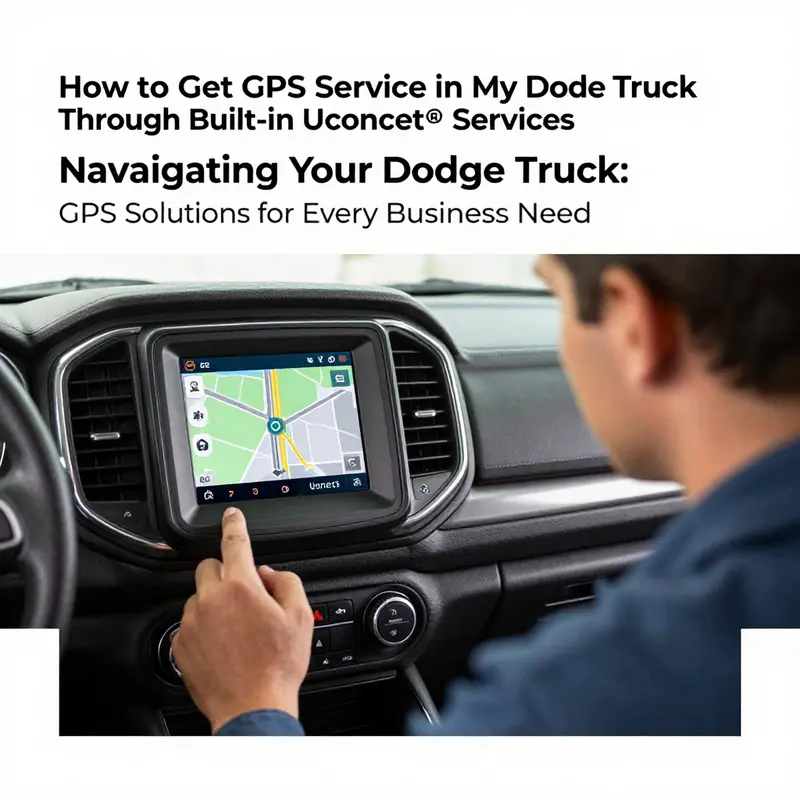
When you climb into a Dodge truck armed with a modern built-in connectivity suite, you’re not just turning on a screen. You’re turning on a complete navigational partner that can guide you through city traffic, roll out efficient routes for long hauls, and keep track of where you park with a level of precision that simple maps rarely match. Real-time GPS navigation and traffic data have become more than conveniences; they’re essential tools for planning trips, saving fuel, avoiding delays, and making on-road decisions with confidence. The built-in system, when activated and properly subscribed, weaves together maps, live traffic, and destination search into a seamless driving companion. The key is to verify that your truck truly has the connectivity features turned on and that the subscription that unlocks those features is active. From there, navigation becomes a fluid, hands-on, and increasingly intelligent facet of your daily driving routine rather than a static map on a distant device.
To begin, think of the built-in connectivity as a foundation rather than a single feature. You don’t need a separate gadget clinging under the dash to get GPS, because the vehicle’s own interface can access satellite data, draw up routes, and adjust in real time as you move. The first step is to confirm whether your particular Dodge model has this integrated system and whether the connected services are active. This is not a matter of guessing or hoping for the best. A quick check of your owner’s manual, a call to a Dodge dealer, or a peek at the manufacturer’s support resources is all that’s required to confirm compatibility. If you already know you have the system, you’re ready to move forward; if not, the path to GPS service may involve a retrofit or a different approach, such as an external device or a smartphone navigation workflow. The broader goal remains the same: reliable, map-based guidance that updates in real time as you drive.
The activation process is less about hunting through menus and more about signing into the vehicle’s connected services and ensuring a subscription is in place. On the vehicle’s touchscreen you’ll typically find a path through Settings and System to a section devoted to connectivity or connected services. The wording can vary by model year, but the concept is stable. You’ll be prompted to sign in with an account that ties your vehicle to your personal navigation preferences, saved destinations, and, if you opt in, data-sharing permissions that let the system learn your routine. It’s worth noting that some features may require a paid subscription beyond any free trial period. The confirmation that a live service plan is active is not something you want to treat as optional; it’s the gatekeeper that unlocks live traffic, enhanced routing, and remote accessibility features that make GPS truly useful on the road.
Once you have signed in and the subscription is recognized by the system, the next movement is to enable GPS navigation as a core function of the dashboard experience. Return to the main menu and locate the navigation component, which is usually represented by a map or compass icon. Activating this feature gives you access to a range of capabilities: turn-by-turn directions, traffic updates that reroute you around congestion, search functionality to find gas stations, restaurants, or rest stops, and the ability to save frequent routes for quick access. The elegance of the built-in approach is that everything lives in one place, with data flowing from satellites to the display through the vehicle’s own modem and software. This tight integration makes the experience more reliable than mounting a separate device, which can have misalignment issues or lower processing priority in the foreground while you drive.
The practical steps are straightforward, but the nuance matters. With the system powered on and the vehicle outside with a clear view of the sky, you sign into the connected services, verify that the navigation feature is enabled, and then begin a trial calculation of a route. The first route planning event is a small but meaningful test: you input a destination, the system processes a route, and you watch as it shows the estimated time of arrival, the suggested lanes, and the upcoming turns. If you have ever relied on a standalone GPS device or a phone-based navigation app, you will notice how the built-in solution tends to consider the vehicle’s weight, height, and inferred road restrictions, which makes the route more realistic for a Dodge truck on highways, secondary roads, or restricted corridors.
A critical step in this process is ensuring the system is up to date. Map data and software improvements are not static; manufacturers push periodic updates to enhance coverage, adjust for road changes, and refine the traffic data integration. Where to get updates can vary by model year. Some updates flow over the air when the vehicle is connected to the internet, while others require a service portal that you access from a computer or mobile device. The key point is that staying current matters: it affects not just accuracy of the maps but also the efficiency of routing and the reliability of traffic information. As you broaden your use of the system, you’ll also discover how it handles new features, such as better search capabilities for destinations, smarter rerouting when delays occur, and improved voice prompts that minimize the need to glance away from the road.
With the subscription confirmed and maps up to date, you begin to experience the real value of GPS inside a Dodge truck. Real-time traffic data becomes more than a line on a map; it becomes a living guide that helps you avoid bottlenecks during rush hours, manage detours around construction zones, and plan alternative routes around incidents that could otherwise slow you down. The system may also offer predictive traffic insights based on time of day and historical patterns, which can be particularly useful when you’re scheduling deliveries or planning back-to-back calls. In essence, the built-in navigation capability moves from being a passive aid to a proactive partner, suggesting updates to your route before you encounter a problem and presenting you with viable options that preserve time and fuel margins. This is where the broader ecosystem of connected services begins to matter, because it’s the backbone that makes real-time updates possible in the first place.
A noteworthy advantage of relying on the vehicle’s own GPS solution is the way it is designed to work in concert with your driving habits. For example, if your typical route includes a long stretch through a city with heavy congestion at certain hours, the system can learn or be configured to warn you about this recurring pattern. You can tailor preferences for avoidances, such as toll roads or certain restrictions, so the routing aligns with your company’s policies or your own preferences for a smoother ride. There is also an emphasis on safety and clarity: directions are displayed with large, legible typography and color-coded cues that reduce cognitive load while driving. The system can also announce turn-by-turn instructions through the vehicle’s audio, allowing you to keep both hands on the wheel and eyes forward. All of this is possible because GPS and traffic data are not isolated data points; they are part of a connected software environment that blends mapping, live data, and driver preferences into a single interface.
Map clarity matters, but the real-time aspect of the system truly differentiates it from static navigation. When you pass under a tunnel, the system’s signal may momentarily shift to satellite-based data and then seamlessly resume, maintaining route continuity. When you exit a highway and enter a dense urban grid, the navigation algorithm weighs the new context and recalculates with minimal disruption. In a fleet or commercial context, this capability translates into concrete operational benefits: reduced idle time, more predictable delivery windows, and better fuel economy through smarter routing that accounts for speed limits, traffic flow, and the likelihood of delays along the chosen path. These improvements aren’t only about convenience; they impact the bottom line by improving on-time delivery rates and reducing fuel consumption during suboptimal conditions.
To anchor this perspective in the broader trucking environment, consider how the industry is evolving toward more integrated connectivity and smarter routing as part of overall efficiency strategies. As fleets increasingly adopt predictive analytics, telematics, and centralized dispatch systems, the navigation feature inside a Dodge truck becomes a node in a wider network. The ability to pull live route data, combine it with shipment windows, and adjust plans on the fly is a capability fleets seek to optimize assets and labor. For readers following industry developments, you’ll notice that the drivers and fleet managers who embrace connected navigation are more likely to realize consistent performance and better utilization of their equipment—an outcome that aligns with the larger trend toward data-driven routing and asset visibility. See how this trend is shaping the path forward in the broader trucking landscape through discussions of key economic trends impacting the trucking industry, which shed light on how these technologies fit into the evolving business model. Key economic trends impacting the trucking industry.
Back in the cab, you may wonder how to handle scenarios where the connected services momentarily dip out of service. A drop in signal can occur in deep canyons, urban centers with tall buildings, or underground sections of highways. In such moments, the built-in system typically falls back to cached or local map data until the signal returns, preserving route guidance and minimizing the sense of disorientation. If a temporary outage persists, you still retain the on-screen map as a visual guide, but you may lose live traffic updates. This is a natural limitation of any connected navigation solution, and it’s precisely why the integration between map data and live traffic is so valuable when it works. When the signal stabilizes, traffic information and route recalculations resume, and you gain the benefit of fresh insights about the roadway ahead. It’s this resilience, plus the integration with your normal driving workflow, that makes the built-in GPS experience particularly compelling for Dodge trucks.
There is also a practical aspect to the activation workflow that deserves careful attention. Activation often requires a clean pairing between your vehicle and your online account, and ensuring that your subscription status is current is essential. In some cases, users encounter hiccups such as a mismatch in the account email or an expired payment method. If this happens, the system will not unlock the full suite of navigation features, and you might experience limited functionality or a prompt that asks you to renew. The remedy is straightforward: recheck your account, confirm the status of the subscription, and reauthenticate if necessary. In rare cases, a software refresh or a dealership-assisted reactivation can clear the issue and restore full functionality. The important point is to approach activation with a calm, methodical mindset rather than guessing through trial and error. A deliberate, documented check of account status, device pairing, and software updates often saves time and prevents confusion on the road.
Beyond the mechanics of activation and troubleshooting, there is a broader sense of how this feature enriches the driving experience. The built-in GPS is not merely a map; it is a cognitive aid that frees mental bandwidth for the driver to focus on the road. By reducing the cognitive load associated with navigation, the driver can respond more quickly to road conditions, changes in traffic, and the demands of complex driving environments. The GPS system helps with route planning for deliveries, keeps you aware of remaining drive time against constraints, and can prompt you with rest stop options when you need a break on a long haul. In a world where every minute counts, these capabilities translate into quieter cockpit decisions, less stress, and a more efficient approach to meeting deadlines. The technology becomes a partner in driving rather than a distraction, and that is the essence of a well-integrated navigation experience inside a modern truck.
This narrative would be incomplete without acknowledging the realities of privacy and data use. When you opt into connected services, you’re sharing location data with the manufacturer and potentially with other service providers involved in map updates, traffic data, and telemetry. Most drivers want the benefits of precise routing without feeling exposed to intrusive data collection. The typical approach is to review the privacy settings within the connected services portal and to configure location sharing according to comfort level and fleet policies. You can usually toggle data sharing for navigation use, traffic aggregation, and account personalization while still preserving the core navigation capabilities. If you manage a fleet, you’ll want to align these preferences with your company’s data governance policies to balance operational insight with privacy considerations. Overall, responsible use and prudent privacy settings ensure that GPS navigation serves as a practical tool rather than a concern about data exposure.
The experience of activating GPS navigation in a Dodge truck through the built-in connectivity suite is not static; it invites ongoing engagement. Periodic reviews of subscription status, map updates, and firmware upgrades should become part of routine maintenance, much like tire pressure checks or brake inspections. The more you stay engaged with the system, the more you’ll notice how much it can enhance your daily routes, whether you’re navigating urban delivery lanes, identifying the most fuel-efficient detours, or simply locating the fastest path through a heavy travel corridor. For readers who track industry developments, the evolution of built-in navigation reflects a broader pattern of increased integration between drivers, vehicles, and data ecosystems. It’s a trend toward smarter, more responsive transport that aligns with the needs of modern fleets while preserving the autonomy and reliability that drivers rely on every time they turn the ignition.
If, after all these steps, you find the built-in navigation experience not quite meeting your expectations, it may be worth exploring a broader workflow that remains within the Dodge ecosystem. For some users, pairing the built-in system with a smartphone navigation strategy can create a blended approach that takes advantage of both local processing and cloud-based updates. For instance, you can use the vehicle’s navigation as the primary routing tool while using a secondary app on your phone for place searches, alternative routes, or historical traffic patterns that you’ve found useful in past trips. This joint approach can offer a robust navigation experience, especially on longer routes or in unfamiliar regions. Still, the aim is to rely on the built-in GPS for as much of the day-to-day routing as possible, reserving supplementary phone-based navigation for scenarios that demand additional flexibility or coverage beyond what the vehicle’s system can deliver.
In closing this exploration of how to get GPS service in your Dodge truck through the built-in connectivity suite, the emphasis remains on deliberate setup, steady maintenance, and mindful usage. The steps are clear: verify compatibility, sign into connected services, activate a subscribing plan, and begin to enjoy real-time navigation with live traffic and destination search. With these elements in place, you unlock a navigational companion that works in harmony with your driving responsibilities and your fleet needs. The path from curiosity to confident navigation is straightforward when you treat the built-in system as the primary tool, learn its rhythm, and keep it updated. Along the way, you’ll discover how this integrated GPS experience can transform not just how you drive, but how efficiently you plan, execute, and deliver on the road. External resources can provide supplementary guidance, including official support portals that detail model-year specifics, subscription terms, and steps for activation. For direct information from the manufacturer, you can consult the official support page on the connectivity solution, which offers model-specific instructions and troubleshooting tips. External resource: https://www.dodge.com/support/uconnect.html
Tracking on Your Terms: Implementing a Third-Party GPS Solution for Your Dodge Truck
When you own a Dodge truck, real-time location awareness can be more than a convenience; it can be a safeguard for high-value assets, a tool for efficient fleet management, and a practical aid for personal peace of mind. If your vehicle isn’t equipped with built-in, subscription-based GPS navigation and tracking, a third-party GPS tracker offers a flexible and often cost-effective path to the same end. This approach honors the reality that not every Dodge comes with Uconnect® or a subscription, and it respects the preference of drivers who want to tailor their setup. What follows is a cohesive journey through choosing and installing a third-party tracker, activating the service, and using the resulting data to keep your truck secure and easy to manage. The goal is to weave a steady thread from the moment you decide to pursue location tracking to the point where you regularly monitor routes, park locations, and vehicle status, all from a single, reliable app. Along the way, you’ll encounter decisions about power sources, placement inside the cabin, data plans, and how to interpret the alerts you set up, all while keeping a clear eye on the broader trends shaping the trucking world and the practical implications for your Dodge.
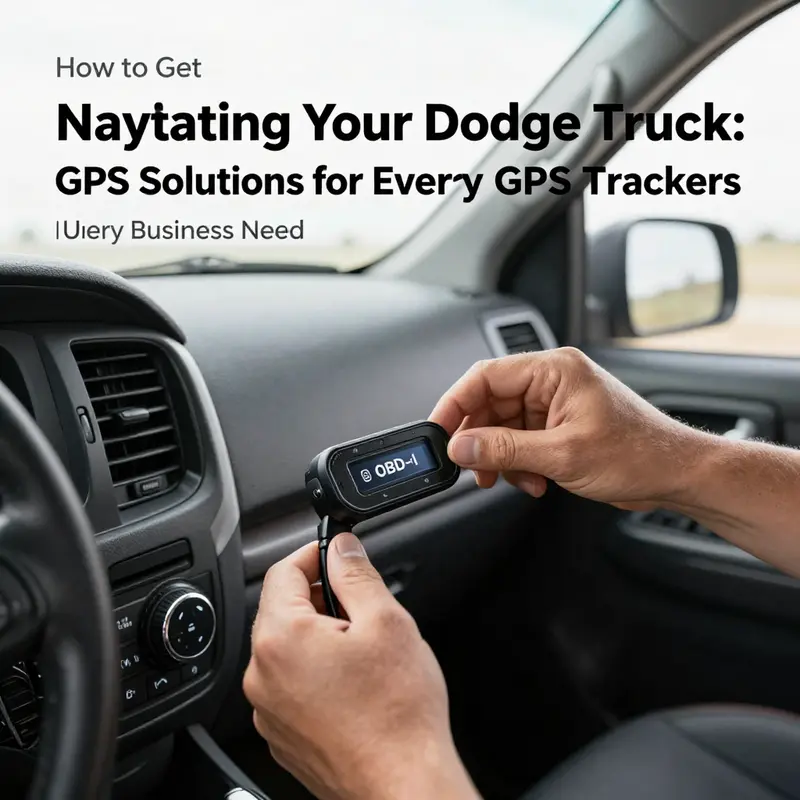
Choosing a tracker means balancing reliability, ease of use, and discreet installation. Look for a device designed for vehicles that can deliver real-time tracking, geofencing, and a low-power mode that helps extend the unit’s life between charges or battery replacements. The most common form factors connect to the vehicle’s power and data network, often via the OBD-II port, or are battery-powered for more covert placements. Power considerations are not just about keeping the tracker alive; they’re about ensuring the device remains hidden and unobtrusive, so it doesn’t tempt a thief or draw unwanted attention. If you plan to rely on an OBD-II-powered model, you’ll benefit from a device that uses the truck’s own power and that communicates through a cellular network, feeding data into a smartphone app or a web portal. If you choose a battery-powered option, you gain stealth but must weigh the battery life and recharging needs against the frequency of location updates you actually require.
The actual installation is where the process becomes tangible. For most vehicles, the OBD-II port sits under the steering column, near the driver’s knee line. It’s a standard interface that a plug-and-play tracker can use to draw power and transmit data. Plug-in trackers are often the simplest path; they wake up automatically with the vehicle and begin reporting once activated. The hardwired approach, by contrast, demands a careful, step-by-step procedure. You’ll locate the vehicle’s fuse box or an appropriate power source, then connect the tracker’s wires to the correct positive and negative terminals. This route grants a degree of resilience and can help with trackers that require a constant power feed even when the ignition is off. It’s essential to follow the manufacturer’s instructions precisely to avoid miswiring or interfering with other electrical systems in the truck. A misstep here isn’t just inconvenient; it can impair critical circuits or blow fuses, so patience and methodical work pay off.
Placement matters as much as power. The aim is to place the device where it won’t be easily found by a thief, yet still has a stable signal path to satellites and cellular networks. Inside the cabin, common discreet spots include behind the dashboard trim, under the steering column, or tucked behind a glove compartment panel where the device remains out of sight but accessible to the antenna. If you’re using a battery-powered model, you’ll want a spot that’s shielded from direct sun and heat, since extreme temperatures can affect battery performance. It’s best to avoid locations behind dense metal components that could create shielding or interference, and to test signal strength from the chosen site before finalizing the installation. The goal is a quiet installation that preserves the truck’s interior aesthetics while ensuring the tracker remains secure and functional.
Activation and setup bring the tracker to life. Most third-party devices require you to insert a SIM card with an active data plan into the unit and then power it on according to the instruction manual. You’ll download the tracker’s official mobile app, create an account, and register the device using its unique ID, which is typically printed on the device itself or found in the packaging. After pairing, you’ll configure the reporting interval, the accuracy level, and the geographic zones that matter most. The geofence feature is particularly valuable for a Dodge owner who uses the vehicle for multiple trips or who wants alerts if the truck leaves a defined area, such as a workspace or a specific neighborhood. It’s also wise to set up status checks, like battery level and connectivity, so you receive timely reminders if anything appears amiss. In addition to live tracking, most apps provide a dashboard with recent trips, driving patterns, and occasional maintenance tips gleaned from the data stream. The whole setup, while technical in parts, becomes a straightforward routine with a little hands-on time, and it lays a foundation for a robust monitoring system that you can rely on daily.
Monitoring the vehicle once the tracker is active unlocks a new dimension of control. Real-time location data can be displayed on a map, allowing you to see the Dodge truck’s current position and motion in near real time. You can also review historical routes to analyze fuel efficiency, route choices, or adherence to company policies if the truck is part of a private fleet. Geofencing alerts can be invaluable for security and accountability: you’ll receive a notification if the vehicle exits a designated area, which is particularly useful for late-night departures or unplanned detours. For battery-powered devices, keeping an eye on battery health in the app helps prevent data gaps caused by a dead tracker, while power-connected devices typically report ongoing signal integrity. The data can also support broader workflows, such as coordinating with dispatch, documenting route compliance, and providing evidence in case of a dispute over a delivery window or a parking mishap. The integration of real-time data with historical insights turns a simple location feature into a strategic tool for safety, efficiency, and accountability.
A third-party solution does not exist in a vacuum. The choice to pursue a tracker should align with your broader goals for vehicle security, maintenance, and operational awareness. If your Dodge truck already features a Uconnect® subscription with navigation and remote capabilities, the tracker can still serve as a complementary layer—particularly if you want an additional fail-safe or wish to monitor the truck when it’s away from your immediate Wi-Fi or cellular coverage. The combination of in-vehicle systems and a discreet external tracker can yield a resilient, two-tiered approach to location awareness, where the built-in system and the external device cross-validate one another and provide redundancy. This is especially valuable for those who rely on their truck for business, where every mile and every parking decision can have financial consequences. The concept of redundancy isn’t about distrust; it’s about building a reliable framework that keeps you connected to your vehicle in a way that fits your life and your work while preserving privacy and control.
Beyond the nuts and bolts, there is a broader economic and industry context that shapes why many Dodge owners gravitate toward third-party trackers. In a landscape where fleets are increasingly scrutinized for efficiency and security, the demand for flexible, scalable tracking solutions has grown. The same forces that drive the adoption of telematics in larger fleets ripple down to individual owners, who want to optimize routes, monitor idle time, and protect assets in an era of rising costs and complex regulatory environments. For a broader sense of how these market dynamics are evolving and why technology adoption matters for trucking, consider the following framing: Key economic trends impacting the trucking industry. This perspective helps place the decision to install a third-party GPS tracker into a larger picture of efficiency, profitability, and risk management. Key economic trends impacting the trucking industry.
As you navigate the technical steps, it’s worth pausing to consider the maintenance and lifecycle of your tracking setup. Data plans vary in cost and coverage, and the data you receive depends on the update frequency you select. A higher frequency provides more granular detail but consumes more data, which can influence monthly expenses. If you’re managing a private fleet, you may want to adopt a tiered approach: track core vehicles with high-frequency updates during peak operations and switch to lower frequencies during slow periods. Battery-powered trackers, for their part, demand occasional recharging or battery replacement, so factor in the maintenance cycle when planning installation in hard-to-reach places. The beauty of a well-chosen third-party tracker is its modularity: you can reassign, relocate, or upgrade the device as needs shift, without replacing the vehicle’s entire electrical system or paying for a more expensive, fixed in-vehicle solution.
From a privacy and legal standpoint, a sober, thoughtful approach is essential. Location data is sensitive, and you should communicate with any drivers or co-owners about what data is collected, how it is used, and who has access. Clear policies help prevent misunderstandings and ensure that monitoring supports safety and accountability rather than creating friction. When you install a tracker, you’re not merely adding a gadget; you’re establishing a channel of information that, if misused, could erode trust or raise concerns. Framing the tracker as a security tool and a performance aid, and communicating its purpose openly to any relevant parties, helps keep the system aligned with ethical practices and legal requirements.
In practice, the path to GPS service via a third-party tracker on a Dodge truck is a blend of practical choices and patient setup. It begins with a clear assessment of your needs—whether you want real-time theft protection, route optimization for a small business, or simply a way to locate a parked vehicle after a long day. It continues with careful selection of a device that fits your power and concealment preferences, followed by a disciplined installation. Activation then unlocks a stream of data you can view, analyze, and act upon. The final piece is ongoing management: monitoring the tracker’s health, adjusting update frequencies, re-evaluating geofence boundaries, and rethinking data plans as your needs evolve. In this way, a third-party GPS tracker becomes less a gadget and more a strategic instrument that helps you protect, manage, and optimize your Dodge truck in an ever-changing environment.
To keep this narrative grounded in practical steps, imagine you’re preparing a Saturday afternoon project in your driveway. You choose a discreet OBD-II-powered tracker, verify that your SIM card has data just enough to cover a week of updates in your area, and download the manufacturer’s app. You plug the device into the OBD-II port, power up, and log in to your new account. The app prompts you to set a geofence around your home base and a few common routes you take for work. You test the signal in your driveway, then drive around the block with the app open to confirm the live map shows your Dodge’s position. You tweak the update interval to balance accuracy and data usage, label the vehicle in the app, and set alerts for when the truck leaves the geofence or enters a restricted zone. The first week yields a simple log of trips and a few notifications that confirm the system is working as intended. By week two, you’re already analyzing patterns: which routes tend to delay the truck, where idling is excessive, and how often the vehicle is parked away from your home base. The routine becomes second nature, the data becomes more meaningful, and your Dodge truck feels not just engineered for performance but also safeguarded through intelligent, user-controlled technology.
In sum, a third-party GPS tracker offers a flexible, scalable, and privacy-conscious pathway to location visibility for your Dodge truck. It respects the practical constraints of not all Dodge models carrying Uconnect, while delivering a robust set of features that can be tailored to your specific needs—whether you’re an individual owner seeking security, a small business operator aiming for operational insight, or a safety-minded driver who wants to keep tabs on a vehicle in a busy environment. The journey from selection to installation to ongoing monitoring is not merely a technical exercise; it is an exercise in intention: choosing the right tool, placing it wisely, and letting the data you gather guide smarter decisions about where your truck goes, how it’s used, and how it stays secure while it’s out on the road.
As the landscape of trucking continues to evolve, this approach to GPS service—rooted in flexibility, privacy, and practical maintenance—becomes increasingly relevant. It aligns with broader shifts in fleet management, data-driven decision making, and the continuing effort to balance cost with capability. If you’re considering your next step, start with a clear sense of what you want to achieve: faster recoveries in case of loss, better dispatch coordination, more precise maintenance planning, or simply a reliable way to locate your vehicle after a long day’s work. Then select a tracker that fits your vehicle’s power profile and your daily life, install it with care, activate it thoughtfully, and monitor it with intention. The Dodge truck you drive can become not only a performance machine but a well-supported asset, enhanced by your own choices and the traceable, trackable data that sits at your fingertips.
External resource for further reading: Understanding vehicle tracking and OBD-II connectivity can provide additional context on how trackers interface with vehicle systems and networks. External resource: What is an OBD-II device and how does it work?
Pocket Navigator on the Move: Using a Smartphone to Bring GPS Guidance into Your Dodge Truck
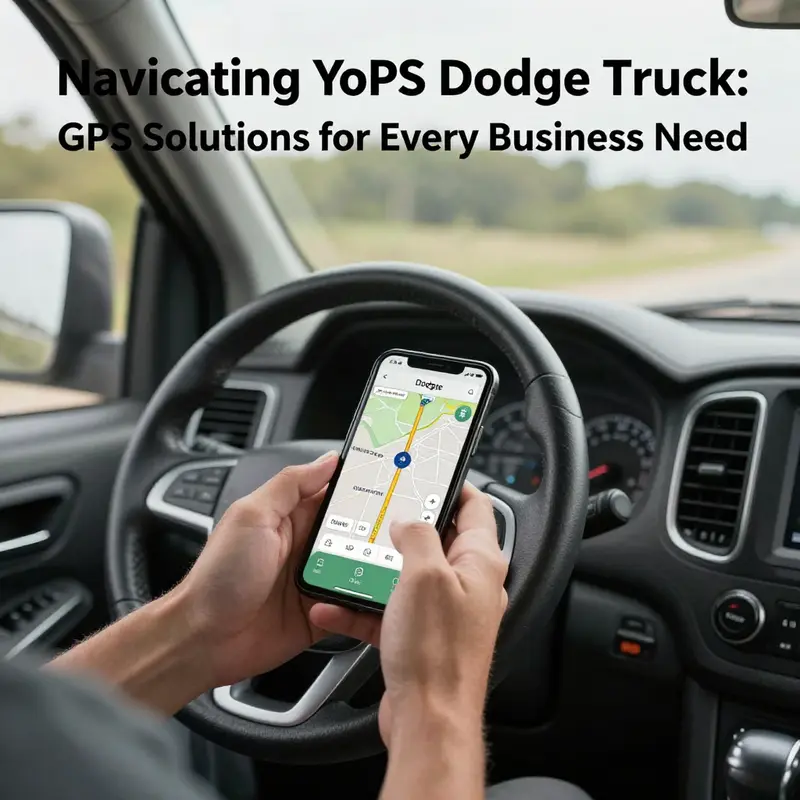
In the cockpit of a modern Dodge truck, your smartphone can become the most accessible gateway to accurate, real-time navigation. Rather than buying a separate in-dash device or paying for a specialized subscription, you can lean on the familiar tools you already carry in your pocket. The idea is simple: let a trusted phone-based navigation system guide your wheels, then mirror or connect that guidance to your vehicle’s display when possible. This approach is not only cost-effective but also incredibly versatile, because it taps into a broad ecosystem of mapping tools, live traffic data, and offline options that extend beyond the boundaries of a single manufacturer. It also keeps you aligned with the broader shifts in how fleets and everyday drivers think about navigation—more flexible, more adaptable, and less tethered to a single vendor’s roadmap. Yet simplicity does not mean there are no steps. The core is to ensure your phone’s GPS is active, the navigation app you choose is reliable, and the mounting and charging setup are safe enough to keep you focused on the road. The result is a navigation experience that feels natural, accurate, and immediate, whether you’re cruising city streets, tackling a weekend road trip, or guiding a service route through a busy industrial corridor.
To start, you need a phone with location services enabled and a navigation app that you trust. On most smartphones, location services are a toggle you switch on in the settings, and you may be asked to grant the app permission to access your location at all times. This is essential for continued guidance as you move, as well as for features like traffic overlays and predicted ETA. The practical tip here is to make sure the device’s location mode is set to high accuracy. In simple terms, that means the phone uses GPS, Wi-Fi, and mobile signals to triangulate your position with the greatest precision. If you are in an area with sparse signal, having offline maps downloaded in advance becomes a lifesaver. Think of this as a safety net that keeps the route visible even when you momentarily lose a data connection. The offline maps feature is not just a luxury; it is a pragmatic hedge against data drains, roaming charges, and dead zones along rural corridors. Keeping a charged battery is another nonnegotiable. A long trip can deplete power quickly, even more so if the screen brightness is high and the device is doing heavy map rendering. A reliable car charger that plugs into the vehicle’s 12-volt outlet can prevent an abrupt pause in navigation due to a dead phone.
With the phone’s GPS ready, the next piece is picking a navigation app that feels natural to you and that reliably supports the kinds of trips you take in a Dodge truck. The landscape of navigation apps is broad, and the strongest candidates share a few core features: turn-by-turn voice guidance, real-time traffic, road-closure updates, and an intuitive search for destinations. A well-chosen app will also offer saved places, recent destinations, and the ability to plan multi-stop routes, which is essential if you use the truck for work, deliveries, or maintenance runs. If you travel frequently through unfamiliar or evolving routes, a traffic-aware app can help you choose detours that avoid congestion and accidents. On top of that, consider whether the app supports offline maps for planned trips. That capability can be a reliable fallback when the cellular connection drops or you want to conserve data.
In practice, this means you have a couple of robust options, each offering strengths without locking you into a single vendor’s ecosystem. A widely used navigation app with a strong offline map option is a natural fit for vehicle use. Another contender is a map that emphasizes turn-by-turn precision and overlay features like lane guidance and speed limits, which helps you anticipate upcoming maneuvers. A third option focuses on community-driven alerts about incidents and hazards, which can be valuable on busy interstate corridors. The beauty of this setup is that you can switch between maps depending on the trip and the environment, without changing your primary device or complicating the vehicle’s wiring. You may find a preference for a particular interface or voice prompt, and that preference is valid. The goal is consistency: once you pick an app, you’ll benefit from muscle memory and predictable prompts that reduce the time you spend glancing away from the road.
A critical element of this chapter is safety, which begins with how you mount and position the device. A secure, unobtrusive mount is essential for keeping the phone at eye level without impeding your view of the road or the vehicle’s controls. A cradle-style mount that holds the phone securely while allowing quick removal is ideal. The holder should be fastened to a surface that does not obstruct airbag deployment or interfere with the steering wheel. The best mounting positions are slightly below eye level and toward the center of the windshield or the dashboard, where the display is visible without requiring you to lean forward. Remember that distraction laws vary by jurisdiction, but the underlying principle is universal: your eyes should stay on the road, and your hands should remain on the wheel whenever possible. The mount is not just about convenience; it’s a safety feature that keeps your attention where it belongs.
Now, let’s talk about integration with the Dodge truck itself. Some newer Dodge models offer built-in smartphone connectivity that can mirror the phone’s navigation directly onto the vehicle’s infotainment screen. When this integration is available, the experience becomes more seamless and more screen-friendly, with the route and prompts displayed in a larger, more legible format. It also reduces the number of screens you must consult, allowing you to keep your eyes trained more consistently toward the road. The catch is that you may need a compatible phone setup and a USB connection—or, in some vehicles, a wireless pairing that can be initiated from the center console or the vehicle’s settings menu. If you pursue this path, a quick check of the vehicle’s manual or a call to a dealership can confirm whether your specific model supports this feature and what steps are required to enable it. In any case, the core idea remains the same: your phone remains the primary navigation tool, but the car’s display and controls can be leveraged to deliver the same guidance in a more integrated way.
Alongside this integration, you may come across the option to mirror or project your phone’s screen onto the vehicle’s touchscreen, rather than merely sending a few prompts. When used judiciously, this mirroring can give you a broader view of the map while keeping the route instructions readily accessible through the vehicle’s controls. The crucial caveat is that mirroring can drain the phone’s battery more quickly and may require more attention to the road as you manage a larger display. If you do choose to mirror, set up the system so that essential actions—like starting, pausing, or rerouting—can be handled safely, without needing a lot of manual tapping while driving. If the vehicle supports a hands-free voice command system, you can use it to request routes, modify destinations, or check the ETA, thereby minimizing the times you need to touch the screen.
An often overlooked but important consideration is data connectivity. Navigation apps rely on data for real-time traffic, road closures, and dynamic routing. If you’re in a signal-poor region or you’re navigating through long stretches of highway where coverage can be patchy, preloading maps and planning trips with offline data becomes a practical contingency. When you download offline maps, you still gain access to the base map, search capabilities, and route planning. You lose live traffic overlays unless you have a data connection, but you keep the ability to navigate to familiar destinations without incurring roaming charges. For everyday driving, a hybrid approach works well: rely on offline maps for core routes and have live data as a backup for detours or timing adjustments, especially during rush hours or adverse weather. The key is to test your setup before hitting the road—open the app, load your planned route, and verify that the voice prompts and the on-screen guidance operate as expected while you’re parked.
To connect this approach to the broader landscape in trucking and vehicle technology, consider the idea that many fleets and individual operators are moving toward flexible, device-agnostic navigation. The emphasis is on using tools that can travel with you, rather than expecting a single system to cover every scenario. This mindset recognizes that a phone-based navigator, paired with the vehicle’s display when available, offers a resilient and adaptable solution. It also fits the practical realities of someone who drives a Dodge truck for work or personal use and wants to stay within a modest budget while still maintaining reliable guidance. In that sense, your pocket navigation becomes not just a convenience but a strategic asset for safer, more predictable trips. The more you practice with your setup, the more your route planning becomes a natural habit, a smooth routine that reduces hesitation and consolidates your focus on the road ahead.
As you grow comfortable with this method, it’s worth weaving in a few habits that safeguard accuracy and reliability. First, keep your phone’s operating system and the navigation app up to date, but also invest a moment to review the permissions and settings that govern location access, background activity, and battery optimization. Some phones aggressively optimize background processes, which can interrupt live navigation if the app is put to sleep. A quick Sunday check can save you from a mid-trip surprise. Second, leverage the power-saving features when appropriate. In longer trips, you may prefer to dim the display and reduce background app activity to extend battery life, but be mindful not to cut off essential services mid-route. Third, where possible, align your trip planning with a consistent routine. Having a go-to route database—favorite destinations, common stops, and typical departure times—reduces the cognitive load of searching while you drive. The more you normalize the process, the less you will be distracted by the technology and the more you can stay focused on safe, lawful driving.
The path to a reliable smartphone-based GPS experience in a Dodge truck is not about a single app or a single feature; it is about weaving together location services, robust mapping options, secure mounting, and mindful integration with the vehicle. It is about recognizing the capability and limits of the tools at hand and designing a system around your own driving style and cargo needs. In practice, this means making small but deliberate choices: enable high-accuracy location, pick one navigation strategy you trust, mount your phone for quick visibility, and use the vehicle’s built-in integration when it makes sense so your hands and eyes stay closer to the wheel and the road. With these steps, your Dodge truck becomes not just a means of transport but a thoughtfully navigated tool, tuned to your pace and your routes. It’s a strategy that respects safety, acknowledges the realities of road travel, and empowers you to rely on a flexible technology stack rather than a single fixed solution.
For readers who want to explore this approach within a broader ecosystem of industry insights, there is value in connecting with the larger conversation about how technology adoption is reshaping trucking and fleet operations. If you’re curious about the macro trends and the way technology is being integrated into everyday trucking workflows, a good starting point is to review industry chronicles that discuss economic trends and the changing face of fleet management. This context helps you see why a smartphone-based GPS strategy aligns with current practices: it is portable, scalable, and adaptable to both personal driving and commercial operations. You can learn more about these broader movements in the industry by following materials on Economic Trucking Trends, which offer a high-level view of how technology, efficiency, and policy interact to shape routes, deliveries, and maintenance planning. By framing your in-truck navigation as part of a larger, flexible system, you position yourself to benefit not only from the immediate gains in reliability and cost control but also from a longer view of how digital tools will continue to evolve in the trucking world.
In summary, using a smartphone as a GPS navigator in a Dodge truck—whether as the primary navigation tool or as a complementary system to a built-in display—offers a practical, scalable path to reliable guidance. The approach emphasizes enabling precise location services, choosing a dependable navigation app, mounting the device securely, and leveraging available vehicle connectivity when it serves the driver’s safety and convenience. It respects the realities of movement on real roads, where data blips, signal gaps, and weather can affect performance. The result is a navigation experience that is straightforward, adaptable, and resilient, one that stays aligned with the way most drivers navigate today: with a pocket-sized, ever-present map companion that works wherever the road leads. To integrate this approach into your routine, start with a quick check of your location settings, download offline maps for routes you frequent, and secure a sturdy mount. Then, if your Dodge supports it, explore the vehicle’s system once parked to see how your phone can share its guidance on the larger screen. This blend of mobile and automotive tech can deliver a navigation workflow that feels natural rather than forced, enabling you to reach your destinations with confidence and calm.
Internal reference for broader tech adoption insights: Economic Trucking Trends. For readers seeking official vehicle support and compatibility details, Dodge’s official guidance is available at the Dodge Uconnect support page, which covers compatibility and setup considerations for in-vehicle connectivity and smartphone integration: https://www.dodge.com/support.html
Final thoughts
In conclusion, enhancing your Dodge truck with GPS services presents numerous benefits tailored for manufacturing, retail, construction, and small business operations. Whether through the built-in Uconnect® system that offers convenience and seamless integration, third-party GPS trackers that provide reliability and extensive tracking features, or the accessibility of smartphone navigation, there is a solution for varying business needs. As logistics and fleet management continue to evolve with technological advancements, incorporating effective GPS services not only enhances operational efficiency but also safeguards your assets and improves overall productivity. Equip your Dodge truck today with the GPS services that best suit your business to navigate challenges effortlessly and drive success.